
Parent guide
How to buy from the Perfect Purity shop
A step-by-step guide for parents — from browsing the Al-Ataa learning packages to completing payment and downloading your tax invoice.
Before you start
Shop online at shop.perfectpurityksa.com. Every price shown already includes 15% VAT, and an account is required at checkout so your orders and ZATCA tax invoices stay available to you.
- 1
Open the online shop
- Go to https://shop.perfectpurityksa.com in any browser on your phone, tablet or computer.
- The shop opens on the Packages page. You can browse freely without signing in.
- Every price shown already includes 15% VAT.
Use the Category, Grade and School filters at the top to find the exact package for your child.
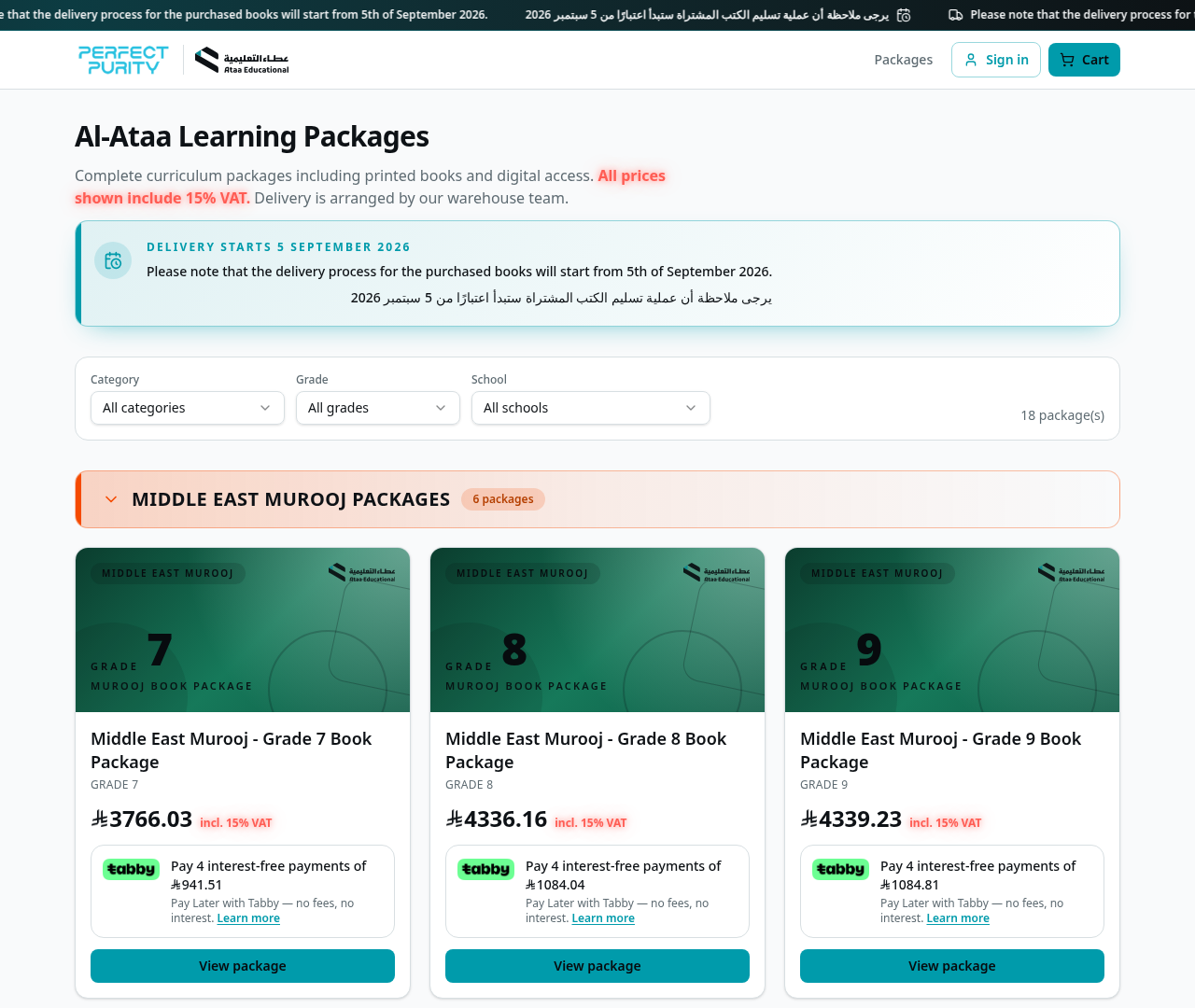
Screenshot from the live Perfect Purity shop. - 2
Open the package and check what is included
- Click View package on the card you need.
- The page lists every book and digital component included in the package.
- The price, the 15% VAT note and the Tabby instalment amount are shown on the right.
- Choose the quantity and click Add to cart.
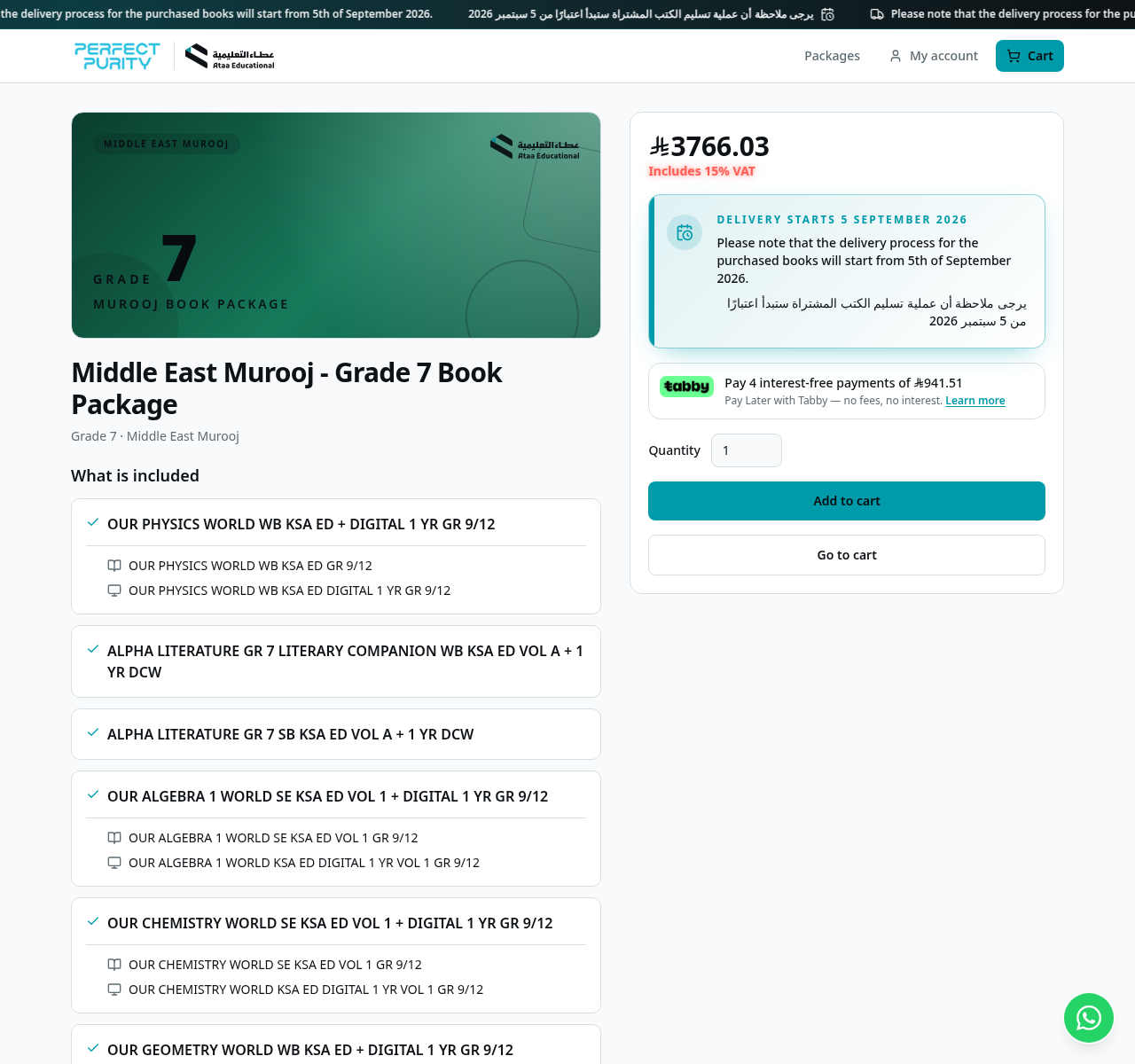
Screenshot from the live Perfect Purity shop. - 3
Review your cart
- Click Cart at the top right at any time to review your items.
- You can change the quantity or remove a package with the bin icon.
- The summary shows subtotal excluding VAT, 15% VAT and the final total.
- When you are ready, click Proceed to checkout.
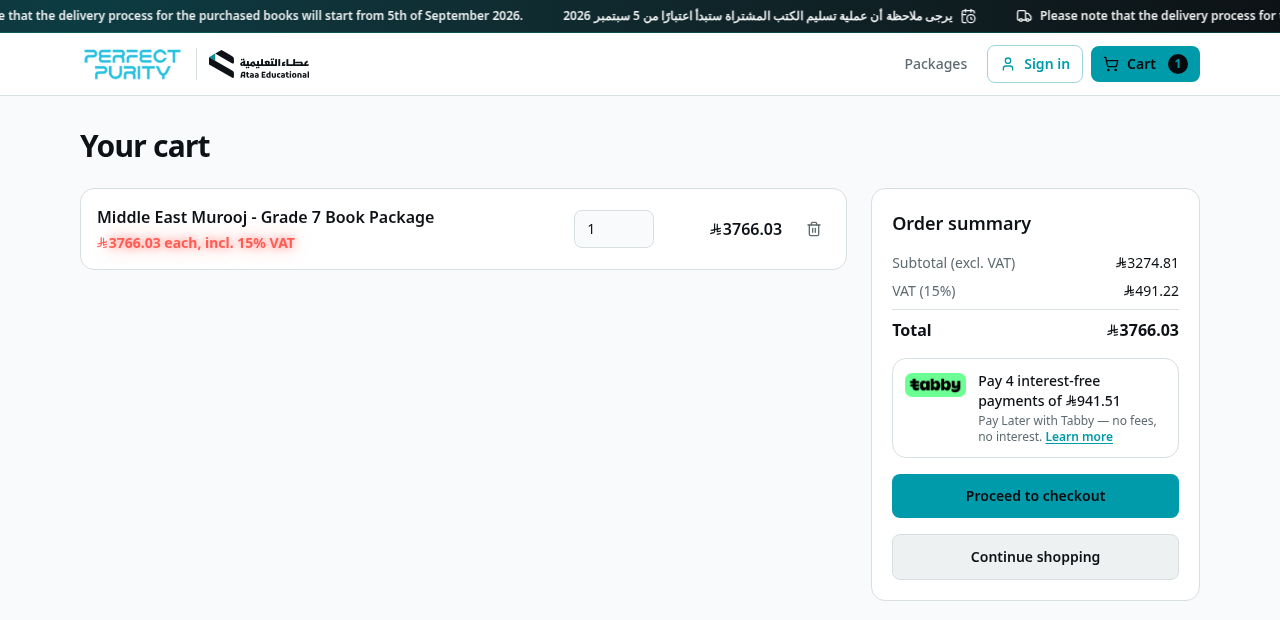
Screenshot from the live Perfect Purity shop. - 4
Sign in or create your account
- Checkout requires an account, so your orders and invoices stay available to you.
- Existing customers: enter the email address and password and click Sign in.
- New customers: click Create an account.
Your cart is kept while you sign in — you return straight to checkout afterwards.
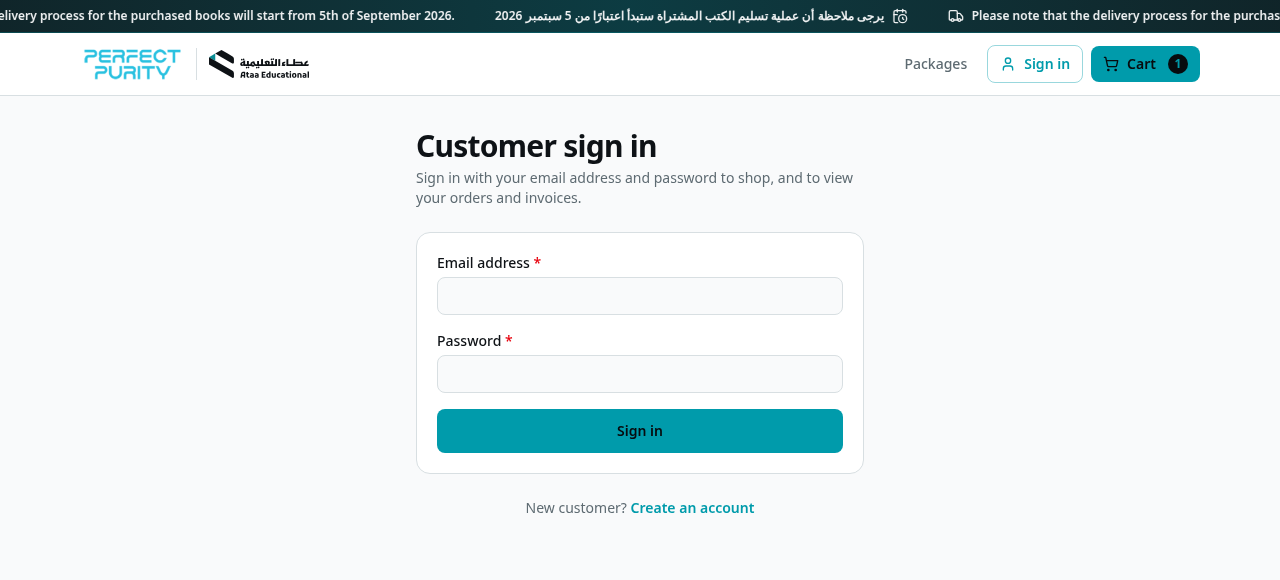
Screenshot from the live Perfect Purity shop. - 5
Create your account (new customers)
- Enter your email address and choose a password (minimum 8 characters), then confirm it.
- Fill in the delivery details: full name, WhatsApp-active phone number, street address, building number (optional), apartment number, district and city.
- Select your district carefully from the list so the shipment reaches you.
- Click Create account — your details are saved for future orders.
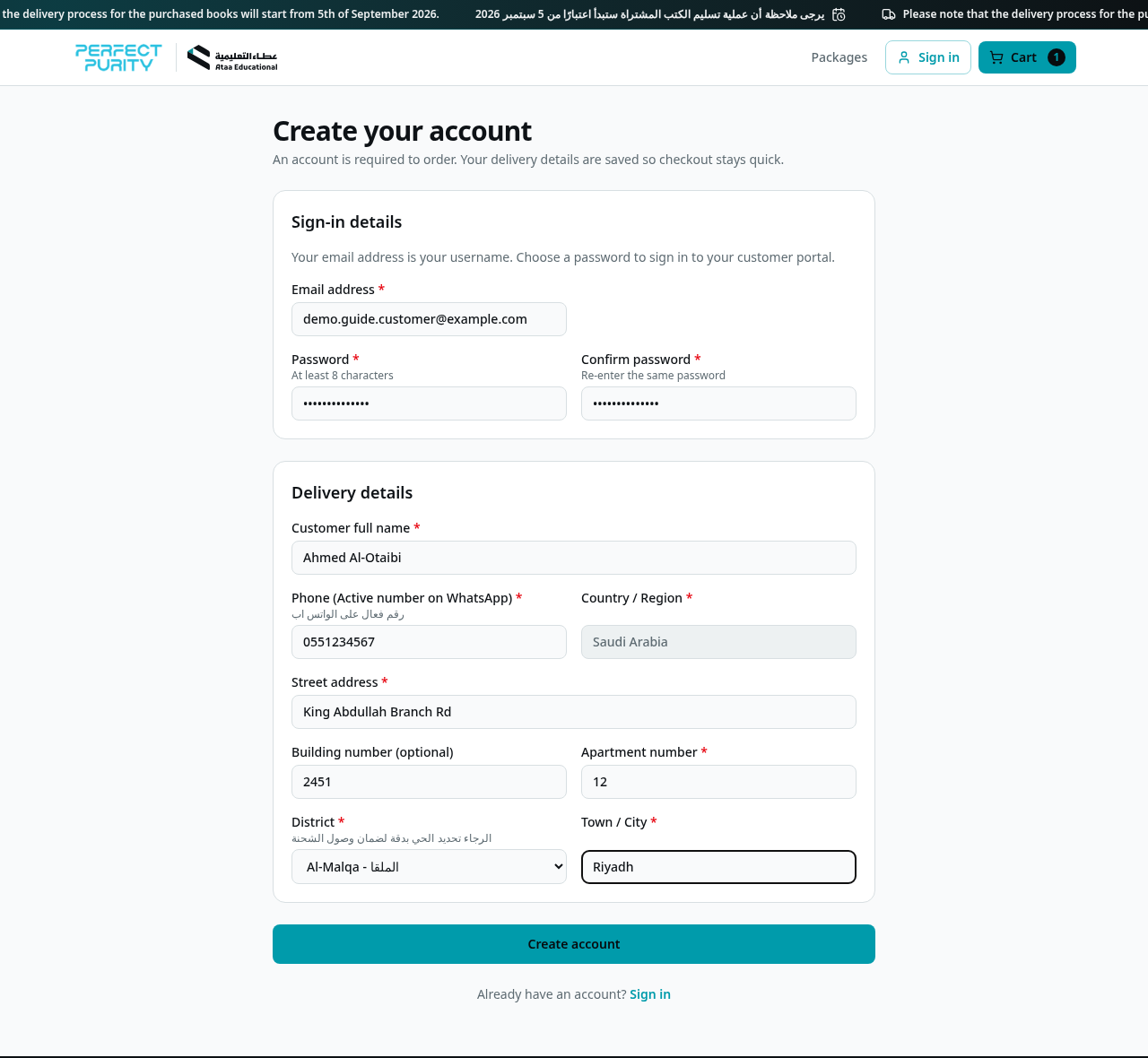
Screenshot from the live Perfect Purity shop. - 6
Complete the checkout form
- Check the delivery note and your saved details (click Edit to change them).
- Under Student details, enter the student name for each package and select the school. The grade is taken from the package automatically.
- Add an order note if you need to tell the warehouse anything.
- If you have a coupon code, enter it in the order summary and click Apply.
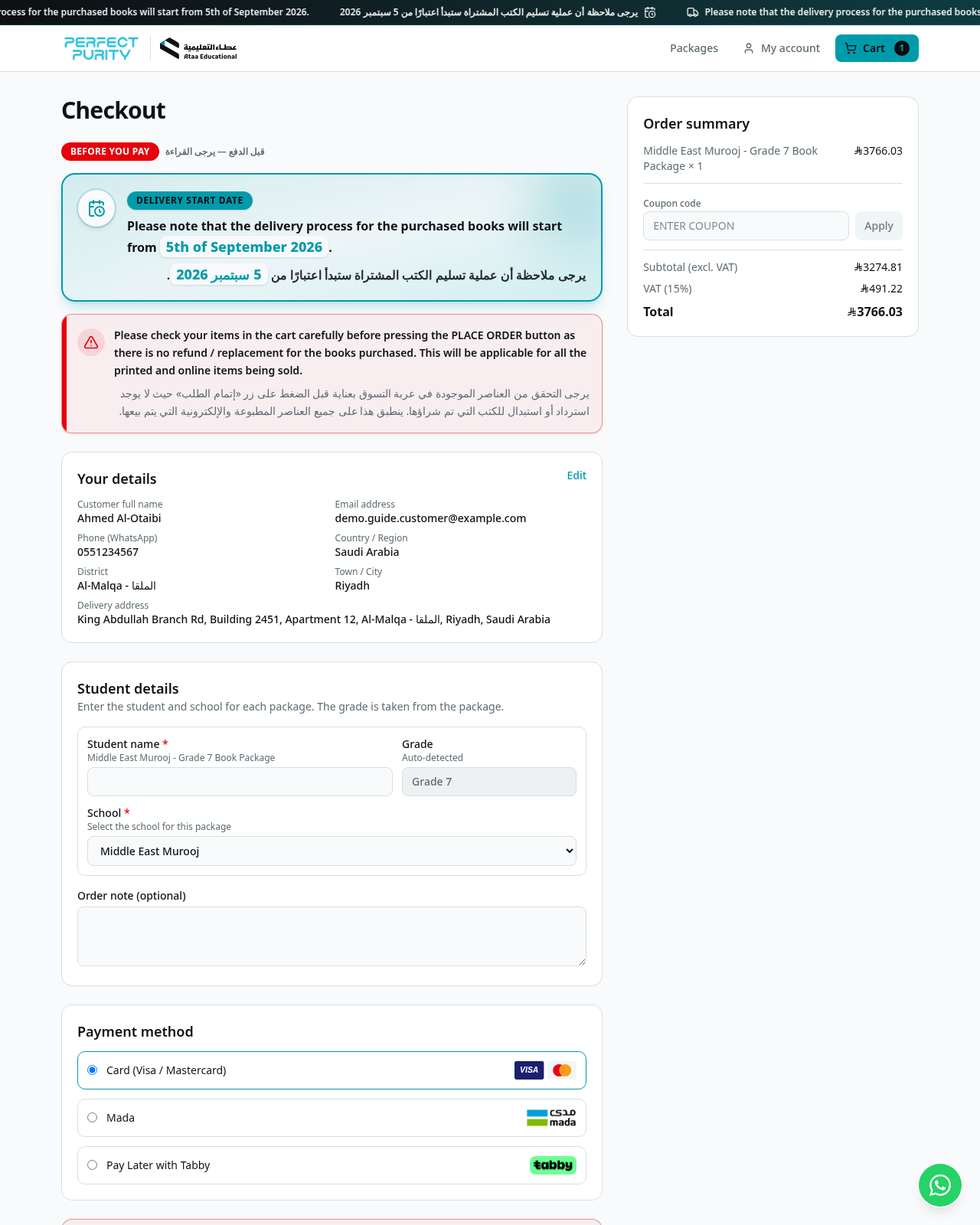
Screenshot from the live Perfect Purity shop. - 7
Choose the payment method and place the order
- Card (Visa / Mastercard), Mada, or Pay Later with Tabby (4 interest-free instalments).
- Tick the delivery confirmation box.
- Click the Pay button to be taken to the secure payment page.
Please review your cart carefully before paying: printed and digital items are non-refundable and non-replaceable.
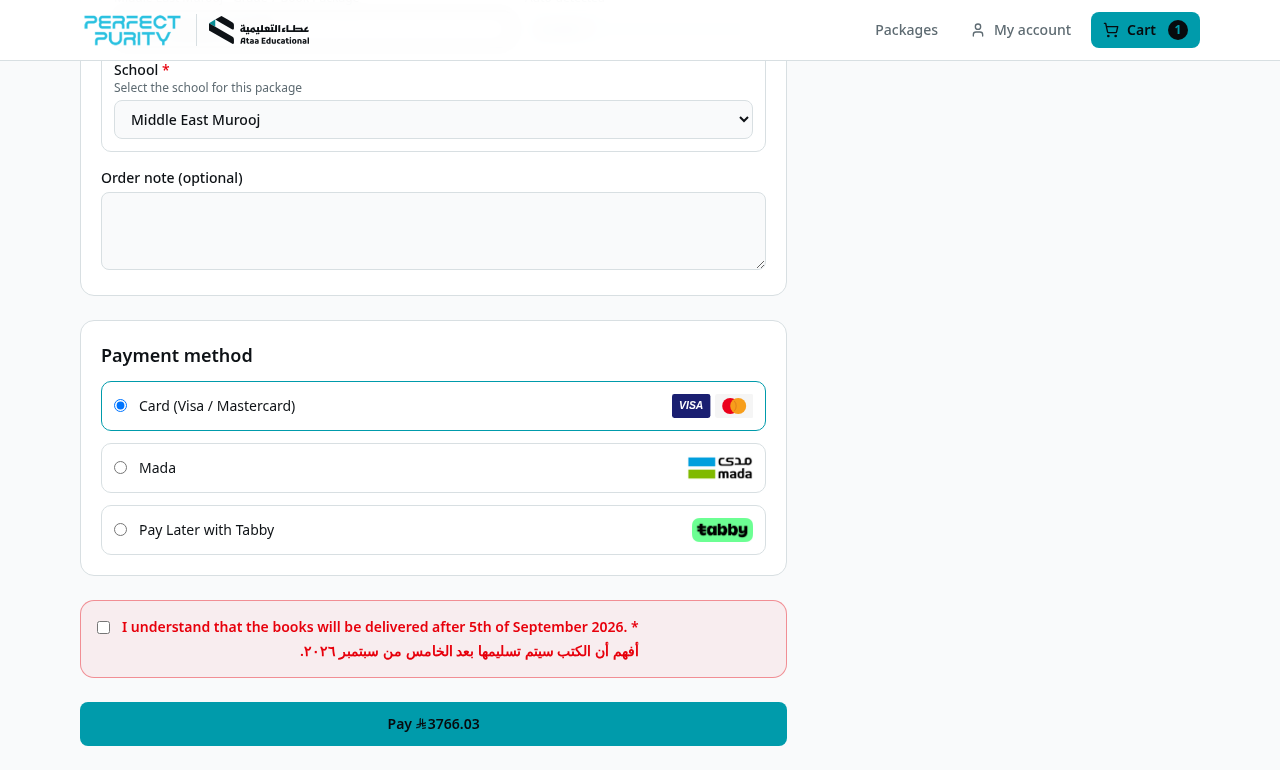
Screenshot from the live Perfect Purity shop. - 8
Pay securely
- Card and Mada payments open the secure HyperPay page — enter your card details and confirm the OTP sent by your bank.
- Tabby opens the Tabby checkout — sign in to Tabby and confirm the 4-instalment plan.
- After payment you are returned to the shop and your order is confirmed automatically.
- Do not close the browser until you are returned to the shop.
If your connection drops during payment, your order is verified automatically within a few minutes — you will not be charged twice.
- 9
Order confirmation
- A confirmation email is sent to your email address with the order number and the items purchased.
- The order also reaches our warehouse team, who prepare it for delivery.
- 10
Track your order and download the invoice
- Click My account, then My orders to see all your orders and their status.
- Once the warehouse posts a delivery, the ZATCA-compliant tax invoice becomes available to download from the same page.
- Partial deliveries keep the same invoice; newly delivered items are added to it.
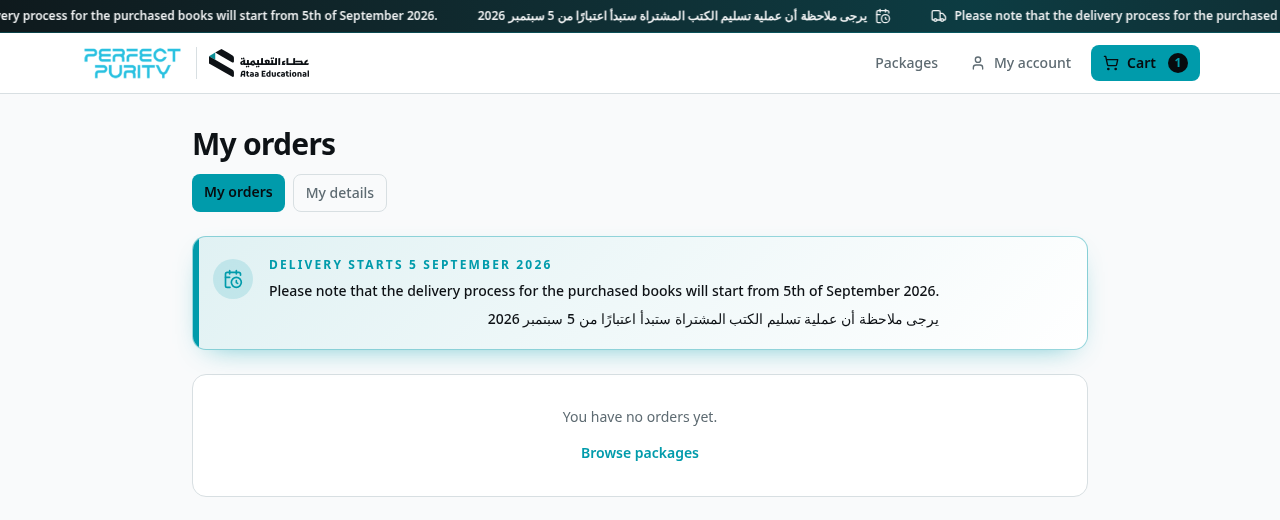
Screenshot from the live Perfect Purity shop.
Need help?
Tap the green WhatsApp button in the bottom-right corner of the shop to chat with us. You can also review our Privacy, Shipping, Cancellation & Refund policies and the Terms & Conditions in the footer of every page.